Overview
Kerlig can remember things about you, such as your role and how you like things written, and use them in later chats.
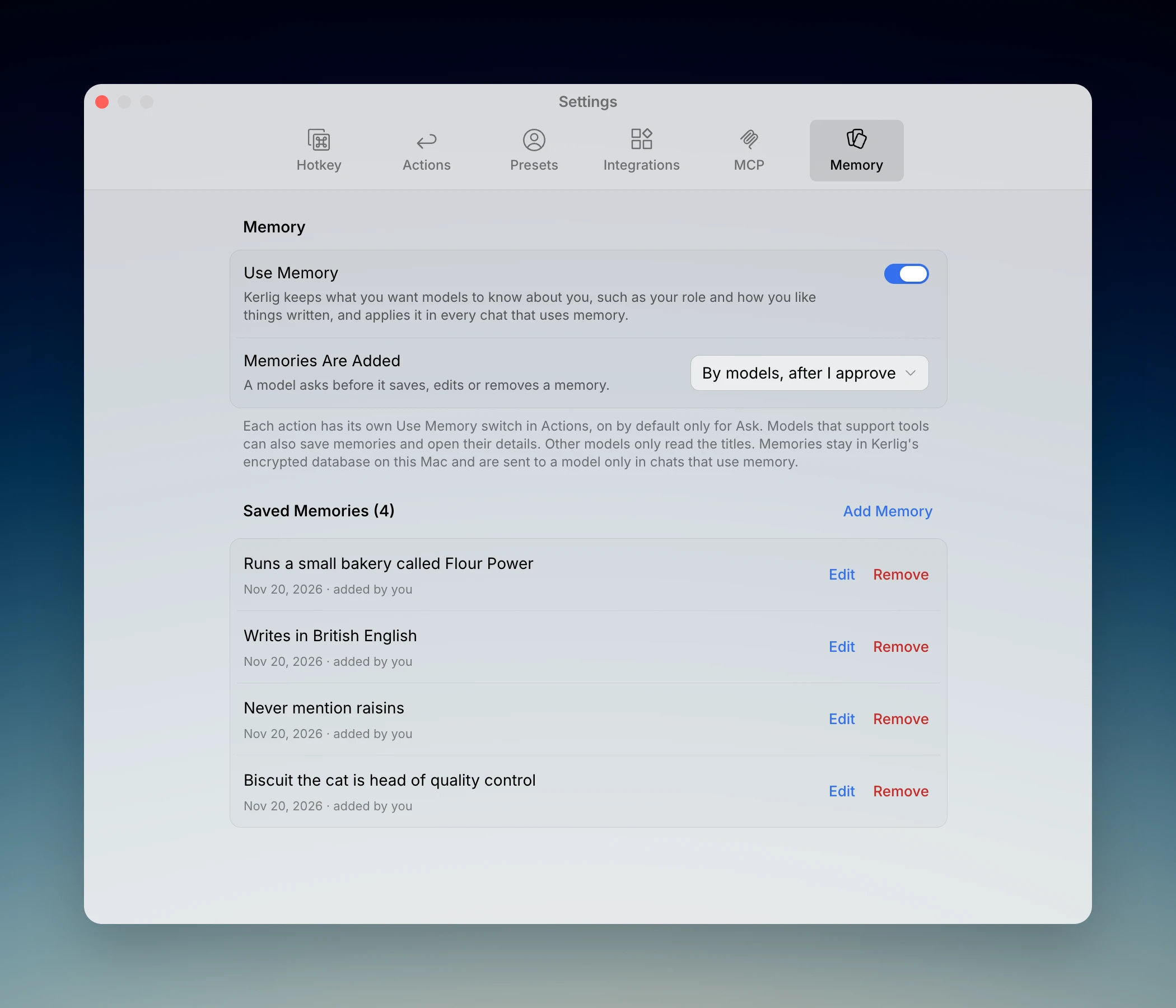
Memory is a list you control. Each memory has a title, which is one line that says it all, for example "Writes in British English" or "End every reply with a short summary". A memory can also have details, which is longer material the title names, such as a product description, a bio or a style guide. You can read, edit and remove every memory in Settings → Memory.
How models use memory
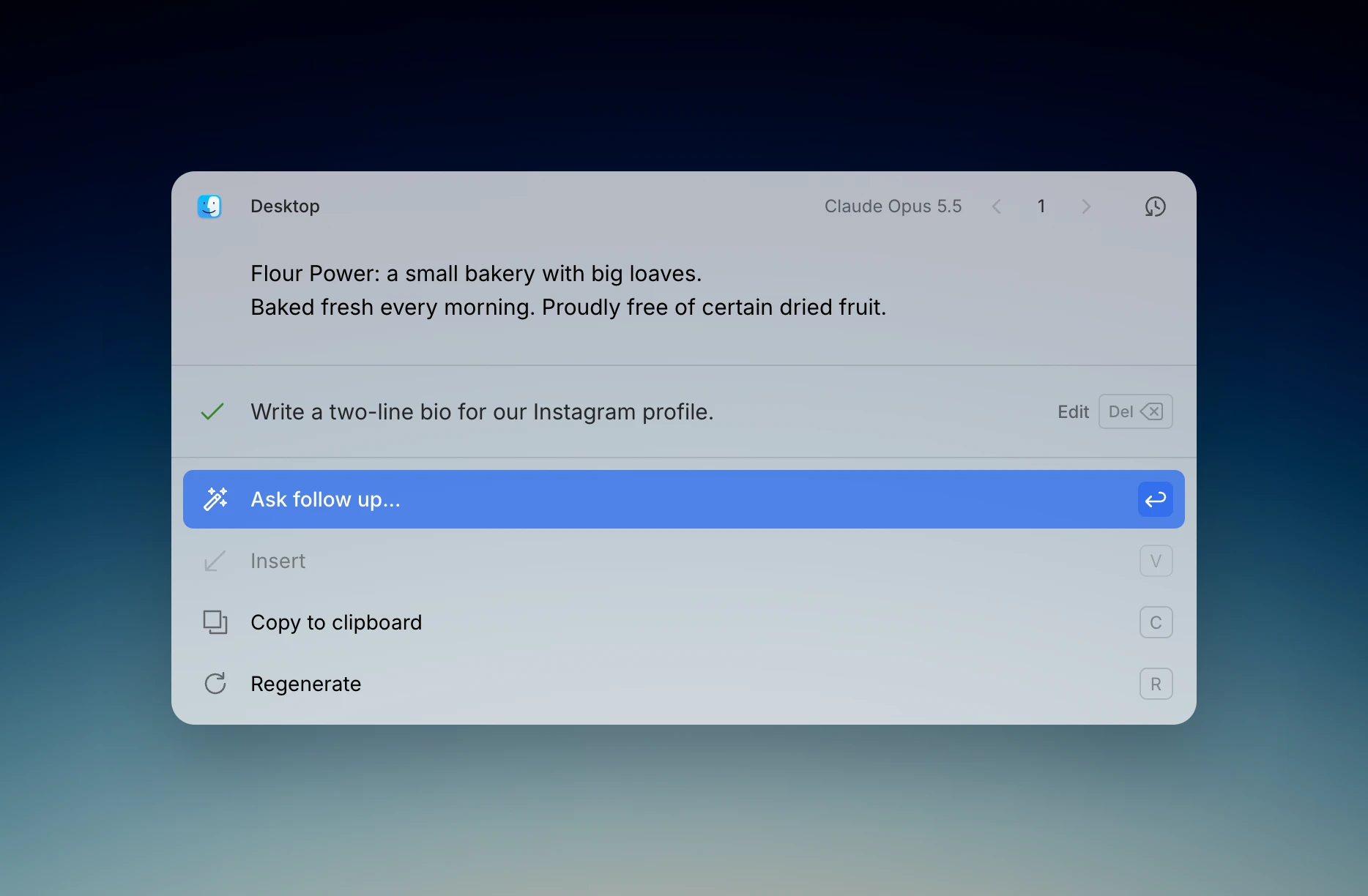
When memory is on for an action, the titles of your memories are included in the request, so the AI follows them in every answer. You do not need to mention them.
Details work differently because they can be long. The AI sees that a memory has details and opens them only when your request needs them.
Put anything the AI must always follow in the title. Use details for reference material.
Titles work with every model. Saving memories from a chat and opening details use tools, so they need two things:
- Enable tools is on in Settings → MCP.
- The model you picked supports tools. Apple Intelligence, Perplexity and Cerebras models do not, so they read your titles and nothing more.
Choosing how memories are added
In Settings → Memory, the Memories Are Added option has three choices:
- Only by me: the AI can read your memories but never changes them. You add them yourself in Settings.
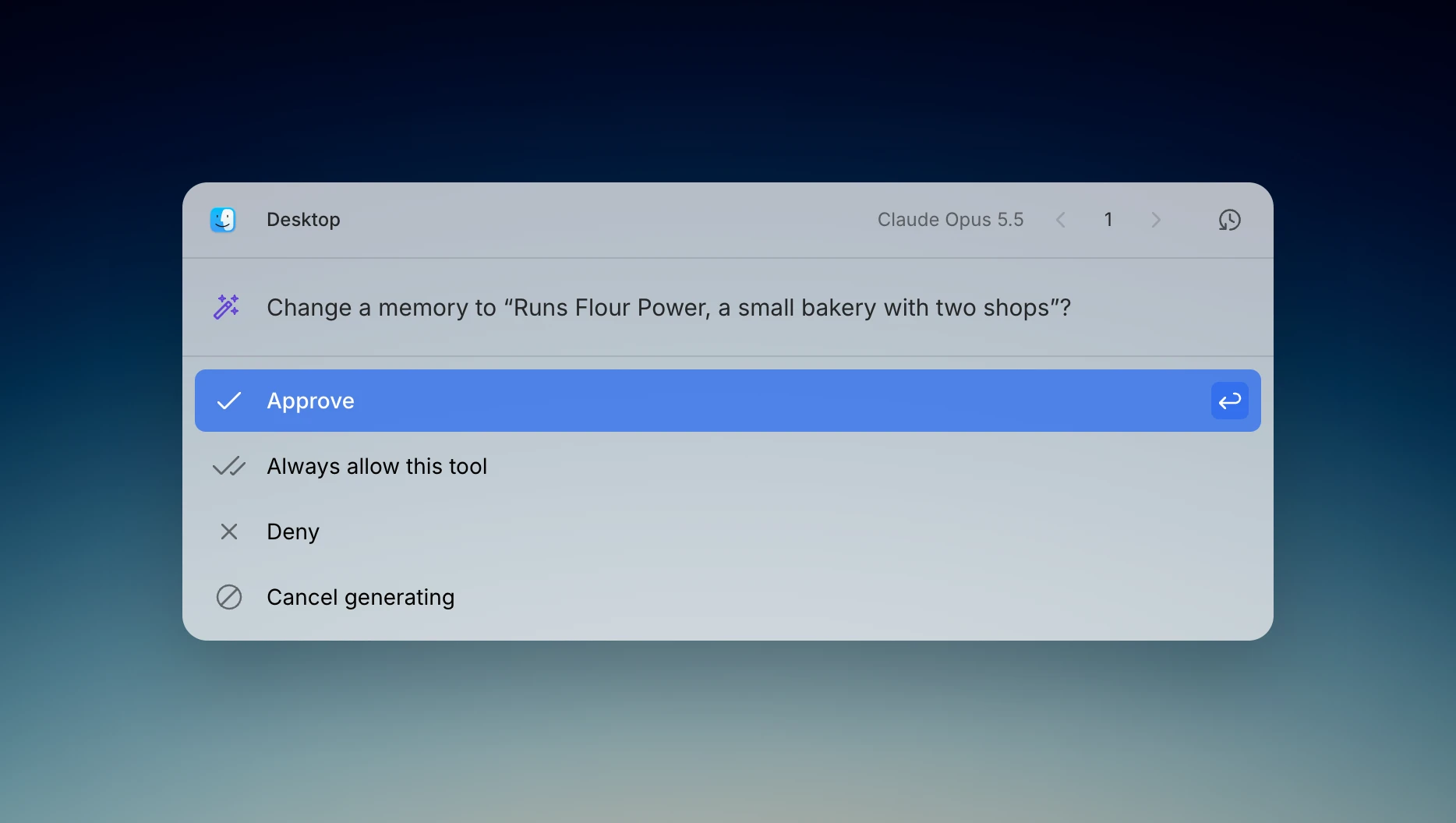
- By models, after I approve: when you mention something worth keeping, the AI asks to save it. The question appears in the input area, shows the title, and nothing is saved until you approve. This is the default.
- By models, automatically: the AI saves and edits memories without asking. Each save shows up in the tool activity line under the answer. Removing a memory still asks first.
You can also ask directly. Say "remember that I prefer short replies" and the AI saves it using the choice above. If you later say "make that very short replies", it updates the same memory.
Turning memory on per action
Each action has a Use Memory switch in Settings → Actions → Preferences. It is on by default only for Ask. Text actions like Fix Spelling leave it off so they stay fast and cheap. Turn it on for any action where knowing you helps, such as a reply-writing action.
Editing and removing memories
Open Settings → Memory to see every memory with its date and where it came from: added by you, suggested, or saved automatically. Use Edit to change the title or the details, and Remove to delete it. Add Memory creates a new one. Kerlig keeps up to 200 memories.
If you have a very long list, the most recent memories are included in each request and the AI searches the rest when it needs them.
To stop using memory everywhere, turn off Use Memory at the top of the tab. Your memories are kept and come back when you turn it on again.
Memory and Presets
Presets and Memory both tell the AI about you, and they work together. A preset is a set of instructions you pick for a chat, such as a role or a tone of voice. Memory is what holds true in every chat, whichever preset you pick. Use a preset for "answer like a copywriter" and memory for "I write in British English".
Memories stay in the local encrypted database on your Mac. In chats that use memory, the titles are sent to your AI provider as part of the request, and details are sent when the AI opens them.
© 2026 Kerlig™. All rights reserved.